Go to Settings > AI behavior to shape how the AI answers. The same settings apply in the chat, in email and in Messenger and Instagram. Only admins can change them, and every field saves on its own.
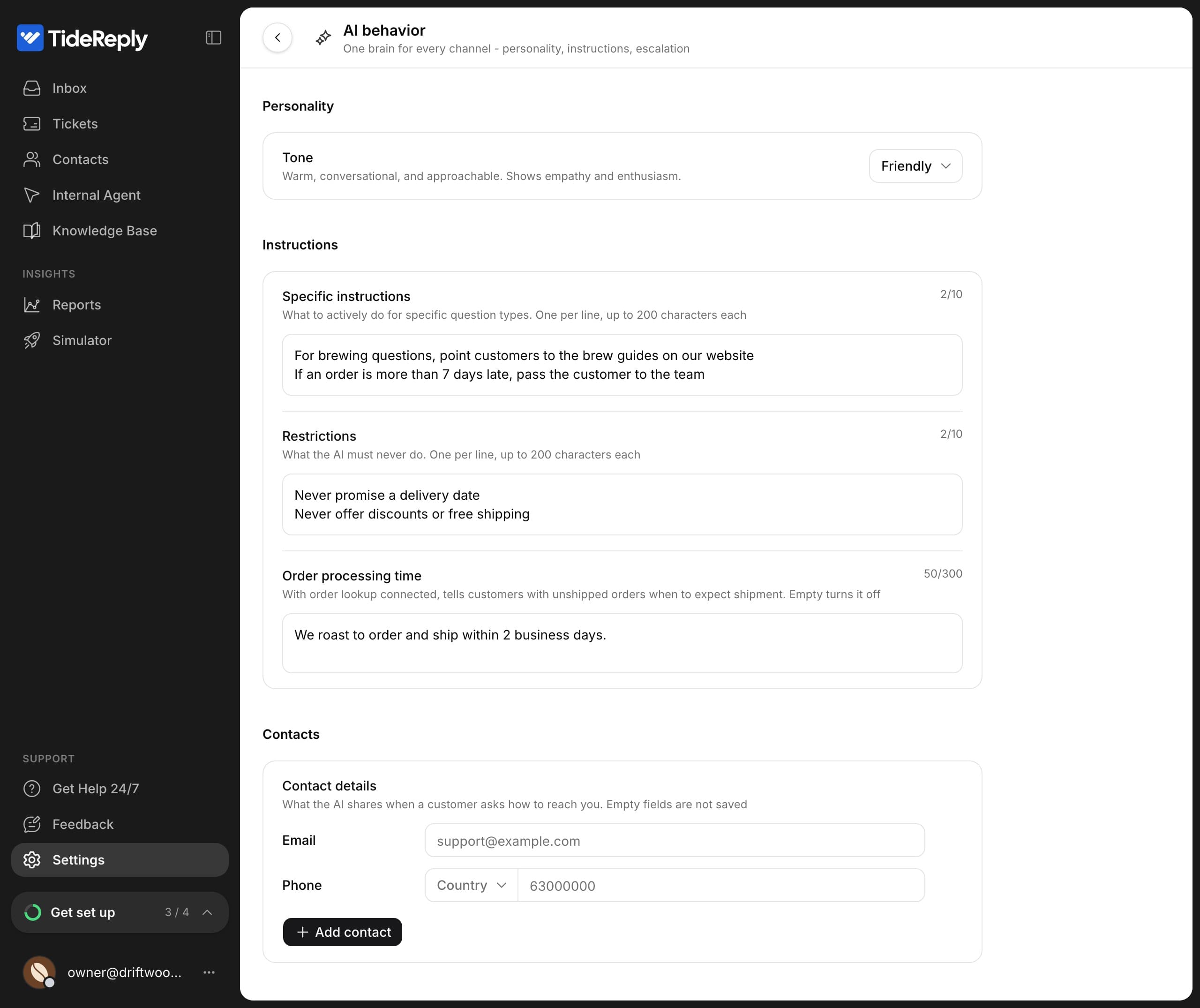
Tone
Under Personality, pick how the AI sounds:
| Tone | How it sounds |
|---|---|
| Professional (default) | Courteous, precise and solution-oriented, in complete sentences. |
| Friendly | Warm, conversational and approachable. |
| Casual | Relaxed and informal, with short replies in everyday language. |
| Neutral | Clear, direct and factual, without strong personality. |
Whatever the tone, the AI replies in the customer's language. See Languages.
Specific instructions
Tell the AI what to do for certain kinds of questions. Write one instruction per line, up to 10 lines of 200 characters each, in any language. For example:
- For return questions, ask if the customer has a return label first.
- For brewing questions, point customers to the brew guides on our website.
- If an order is more than 7 days late, pass the customer to the team.
An instruction about late or missing orders decides what the AI offers the customer and whether it brings in your team.
Restrictions
Tell the AI what it must never do, with the same limits. For example:
- Never promise a delivery date.
- Never offer discounts or free shipping.
Order processing time
If you've connected order lookups, write how long orders take to leave, for example "We ship orders within 2 business days". When an order hasn't shipped yet, the AI uses it to tell the customer when to expect it. Leave it empty to turn this off. See Order answers.
Contacts
Under Contacts, add the details the AI shares when a customer asks how to reach you: your email and phone, plus more with Add contact (Email, Phone or Website or link). Give extra ones a label, like "Sales" or "WhatsApp". Empty fields aren't saved.
What instructions can't do
- They don't add knowledge. A fact written only in an instruction, like "returns are free", isn't something the AI answers from. Put facts in your knowledge, and use instructions for how to handle them.
- They don't switch off the safety rules. The AI still answers only from your knowledge, still leaves order changes to your team, and still offers a person when it can't help. See How TideReply answers customers.
After changing a setting, ask the Simulator a question to see the difference.