When a customer needs a person, the AI opens a ticket and notifies your team. Open Tickets in the left menu to see them.
Why tickets open
The main reasons:
- Human requested: the customer asked for a person.
- Knowledge gap: the AI didn't have the answer. Teach it once and the next customer won't need you (see Fix a wrong or missing answer).
- Complexity or Frustration: the request needs judgment, or the customer is unhappy.
- AI stopped: the conversation went in circles, so the AI stepped back.
Needs you shows the tickets waiting on your team right now: the customer wrote last, or asked for a person and nobody has picked it up.
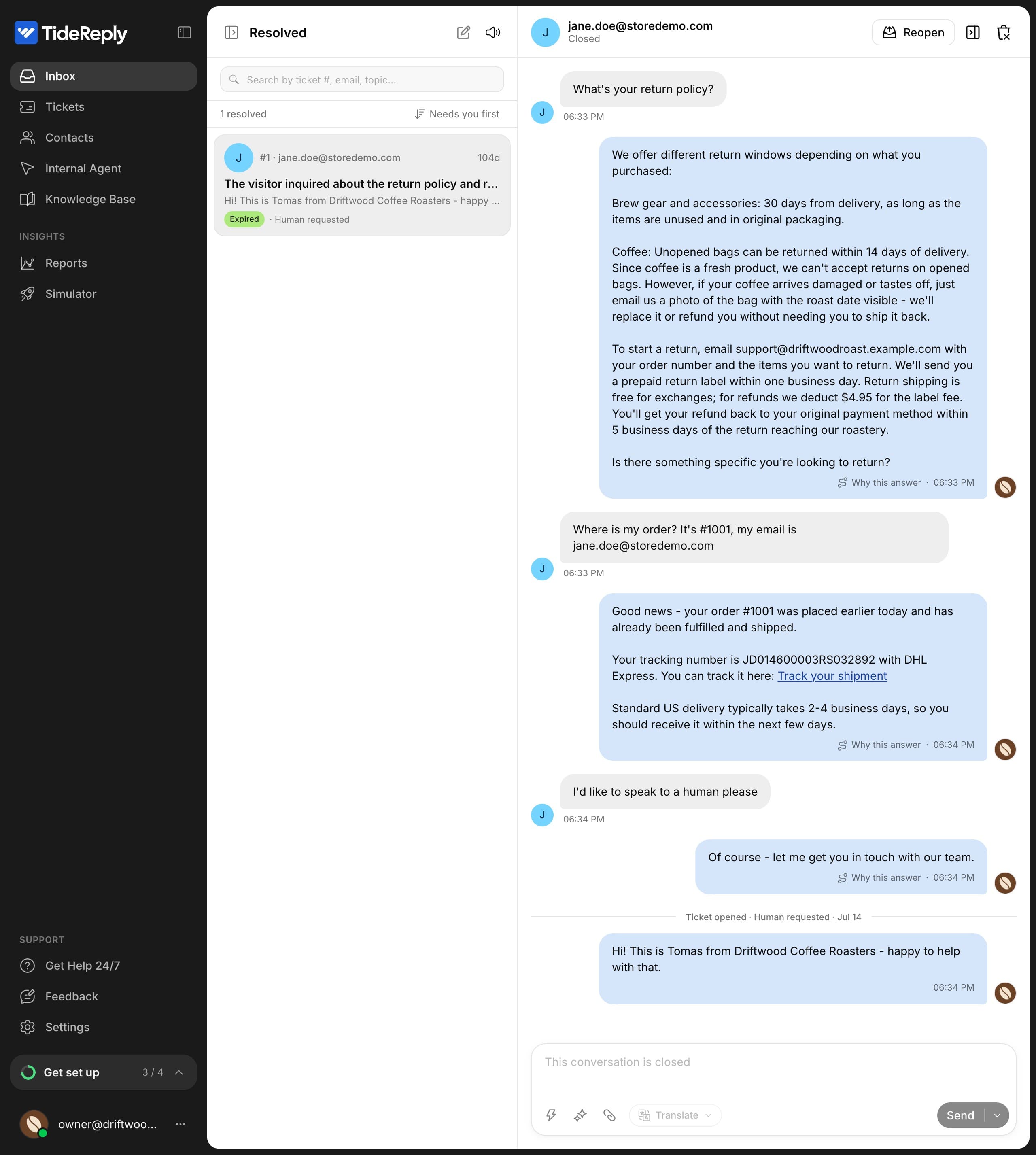
What the customer sees
- The AI offers your team, or connects right away if the customer asked for a person.
- If it doesn't have the customer's email yet, it asks for it.
- The customer is told their message was passed on, and whether the reply comes by email or in the chat.
- If nobody replies within 10 minutes, the customer gets a short note that your team will be with them. Outside office hours, they're told right away when your team is back.
Work a ticket
Open the ticket and reply (see Take over a conversation). In Details:
- Status: Open, In progress or Resolved.
- Assignee: who's handling it. They get an email when you assign it to them.
Closing the conversation resolves the ticket.
Reminders and clean-up
- A ticket nobody has touched for 4 hours sends your team one reminder. Outside office hours, the reminder waits until you open.
- A ticket whose customer hasn't written for 3 days resolves on its own, marked Closed by inactivity.
- If a customer leaves while the AI is still collecting their details, a ticket opens after 20 minutes so the request isn't lost.
Email tickets
Tickets from the email channel don't send an alert each. Instead, you get one daily summary when your office hours open (or at 9:00 your time if office hours are off). See Connect your support email.