The Simulator is your real chat with your real knowledge. Nothing you do there reaches your inbox or your reports, and nobody is notified.
- 1
Open the Simulator
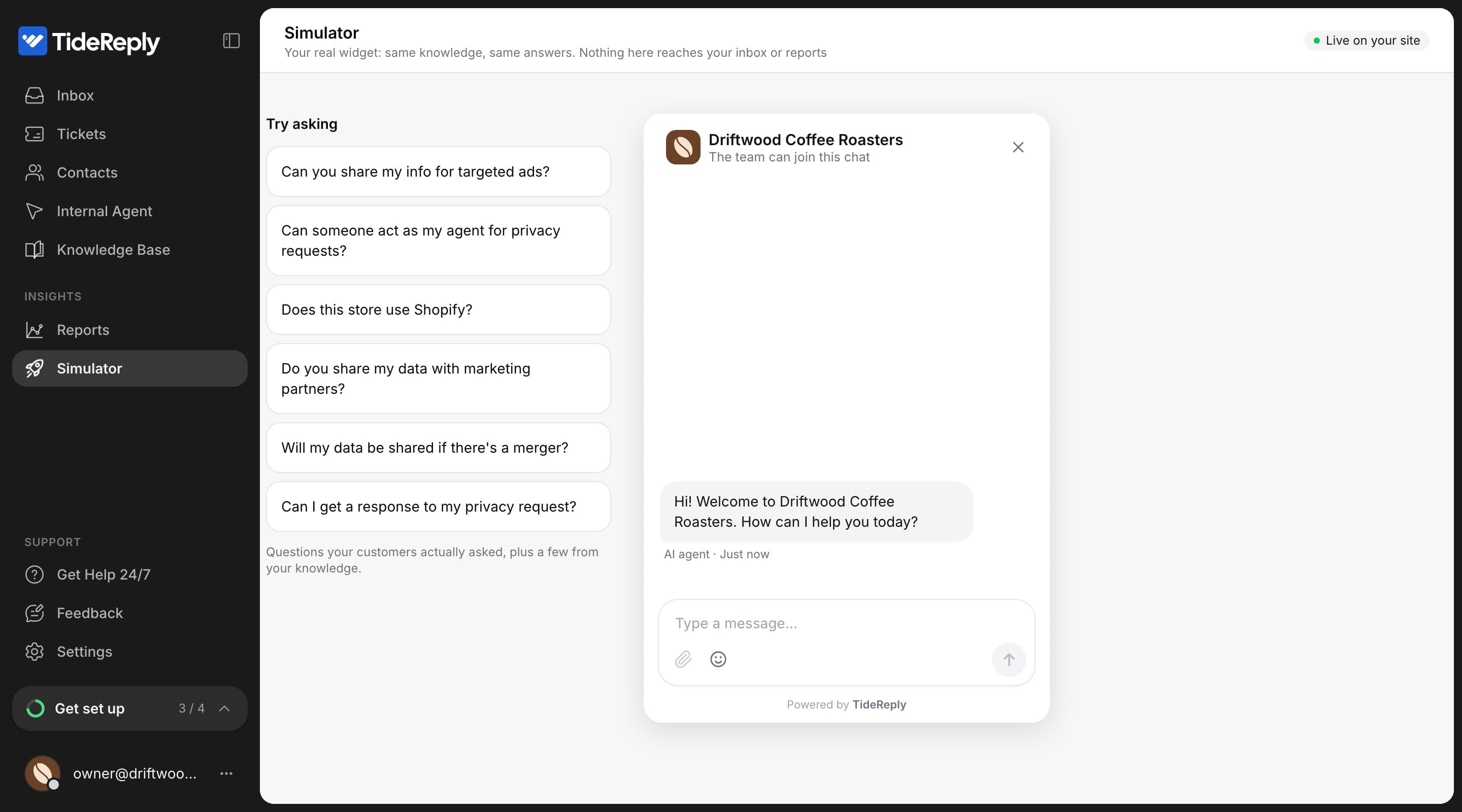
Click Simulator in the left menu.
- 2
Ask what your customers ask
Type a question, or click one of the Try asking suggestions. Suggestions mix questions real customers asked with a few based on your knowledge.
- 3
Check the answer
Under Latest answer you see whether it Answered (and from which sources) or had No answer. If the question would have gone to your team, you see Would create a ticket.
- 4
Fill the gap
When there's no answer, write it in the Add this to your knowledge base card and click Add to knowledge base. Then click Ask again to check.
The counter at the top keeps score: how many questions you asked, how many were answered, how many gaps you found and fixed, and how many were handed off.
Simulator conversations don't count toward your plan's conversations.
What to test
- Your ten most common questions.
- Shipping times and costs to the countries you sell to.
- Returns, exchanges and refunds.
- A question in another language.
- Something you don't offer, to see that it says so instead of guessing.
- "Where is my order?" if your store is connected (see Order answers).